Start Collaborating with Chatter!
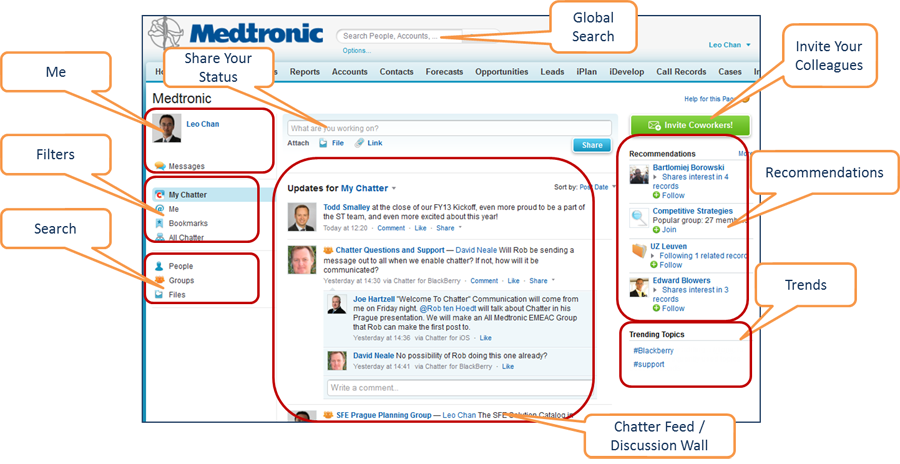
Chatter Homepage Overview
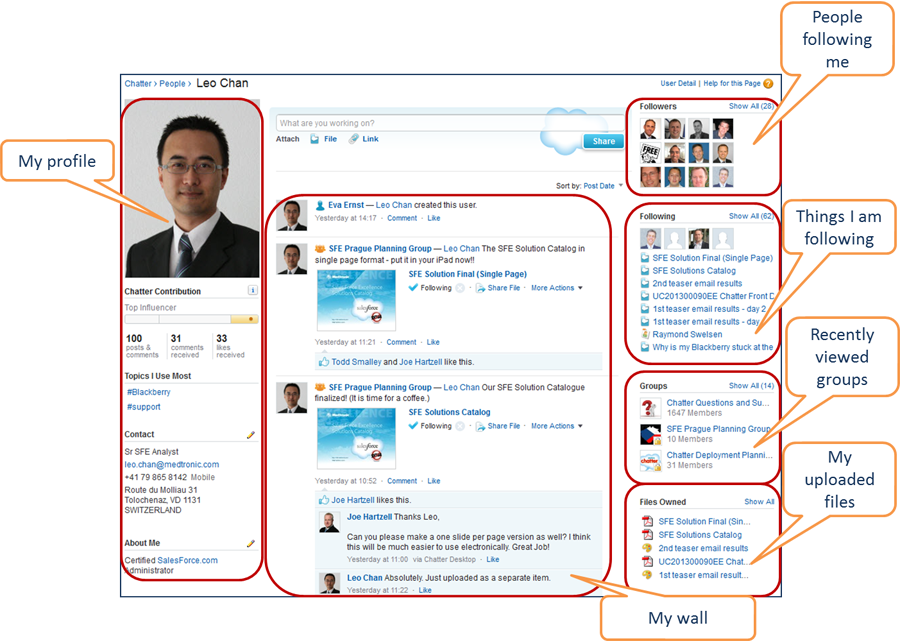
My Chatter Wall
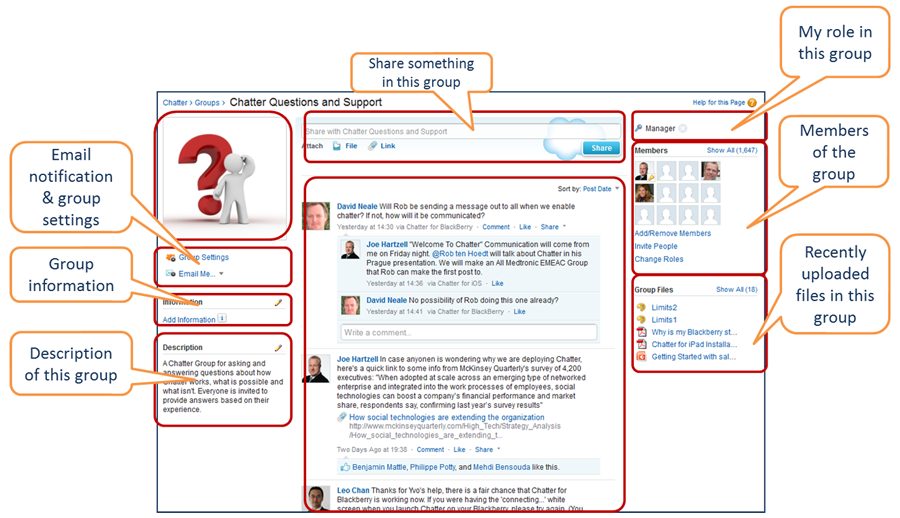
Group Page
Groups help your teams get organized, share information, collaborate on documents, and work more productively to get things done. Set up private groups so you can work privately on sensitive projects with specific colleagues or public groups for information that's relevant to the whole company.
To view a group:
- Click on the "Groups" link on the left-hand column.
- Choose a group from the list.
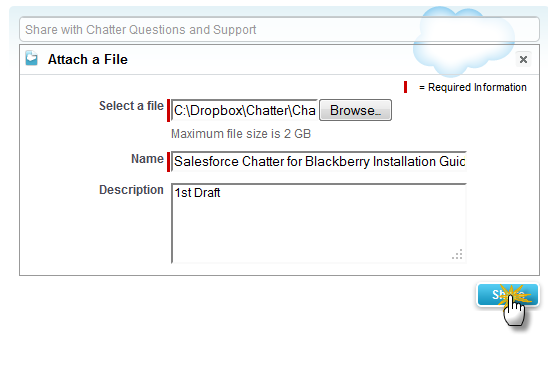
Upload a File from Your Computer
Say good-bye to frustrating searches through email archives and folders. Easily share and access files with colleagues and teams right from your browser. You can even do a quick preview before downloading.
- Click on the "File" link under the status box.

- Click "Upload a File from Your Computer".
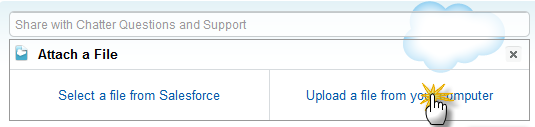
- A file upload dialog box will appear. Click "Browse" to locate your file in your computer, fill in the rest of the form, and click "Share".