

Step 1 - Fill in Your Profile
Access Chatter
- To access Chatter, click on the “Chatter” tab next to the “Home” tab
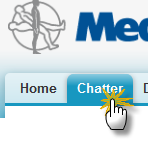
- You will be presented with your own Chatter page.
Complete Your Profile
- Click on your name at the top left hand corner of the page
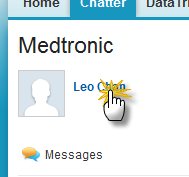
- On the left hand column there are 3 activities required to complete your profile:
- Upload a photo
- Hover over the image and click on the ‘Add Photo’ link
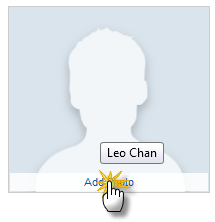
- Browse for a photo to upload
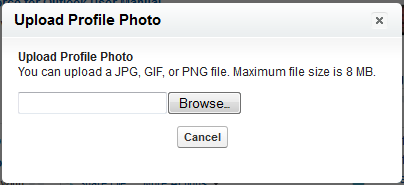
- Crop your photo
- Click the “Save” button
- Hover over the image and click on the ‘Add Photo’ link
- Update your contact information
- On the “Contact” section of the left-hand column, click on the pencil icon
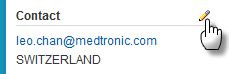
- Fill in the form and click the “Save” button
- On the “Contact” section of the left-hand column, click on the pencil icon
- Add your bio
- On the “About Me” section of the left-hand column, click on the pencil icon

- Type your info and click “Save”
- On the “About Me” section of the left-hand column, click on the pencil icon
- Upload a photo